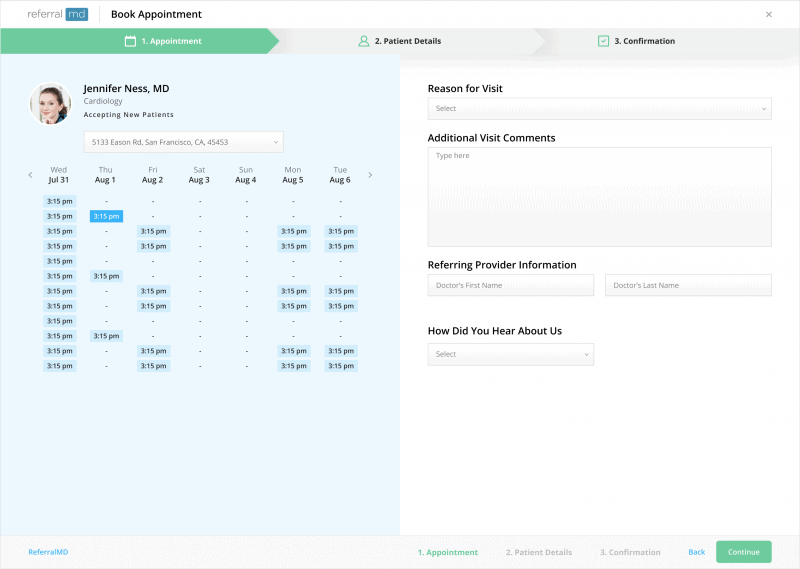
Benefits of Increased Patient Access
Empower patients to easily find the right provider and book appointments directly with our integrated provider directory and online scheduling tools.



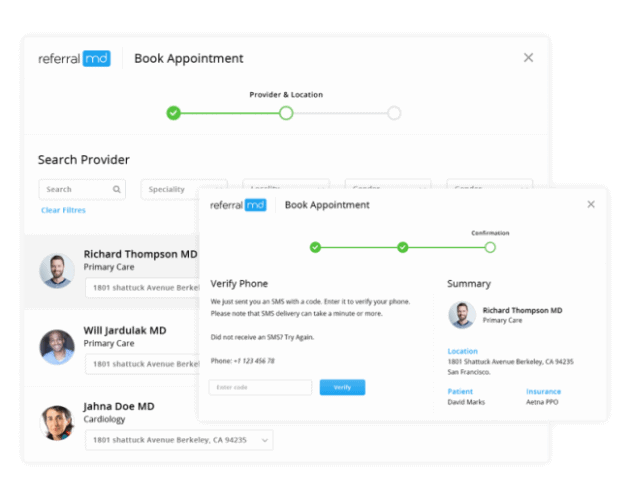
Book Doctor Appointments
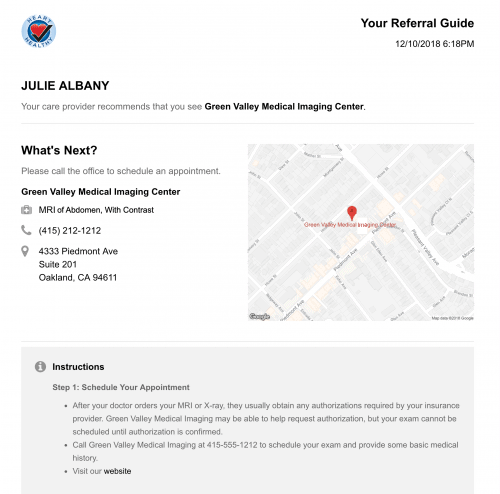
Patient Instructions
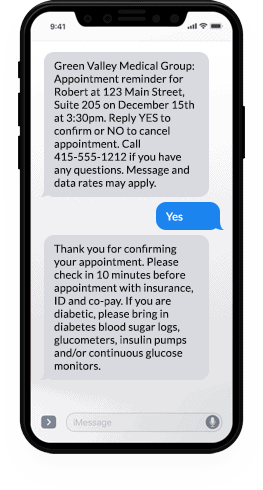
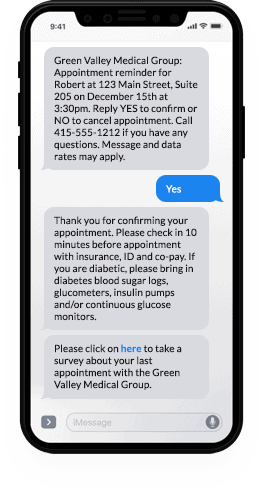
Appointment Reminders
Patient Communications FAQ
Provider offices who fax referrals to your practice or use the ReferralMD portal link on your website automatically receive weekly faxed reports with the referral status for the patients they referred to your practice.
Yes. Customers can define reports to be automatically sent to specific managers on a recurring schedule. Reports highlight results from the current period alongside comparisons to the previous period, making it easy to track progress toward objectives.
Yes. Event-based alerts notify the right staff when key actions or exceptions occur (e.g., missing documents, denials, or completed scheduling), all driven by configurable rules.
Offices without ReferralMD accounts can access the Refer a Patient portal from your website. The portal allows external referring providers to send referrals and documents to your organization electronically and securely. The website portal eliminates faxing and ensures that referrals are complete and include all the necessary documentation.
Providers using the system receive real-time alerts on their dashboard whenever the status changes for their patients (notifications also available via email.)
ReferralMD triggers alerts when referrals don’t advance within predefined timeframes, based on your workflow rules. This helps teams intervene before cases fall behind.
Built-in messaging and file exchange allow staff and providers to communicate with each other without picking up the phone or sending faxes.
Status updates are sent electronically to internal referring providers through EHR integrations. External referral partners can also receive updates via their free ReferralMD account or through fax.
ReferralMD helps reduce referral leakage by giving your organization complete visibility and control over the referral process. Our platform tracks every referral from start to finish—so nothing falls through the cracks.
With ReferralMD, you can:
-
Centralize and digitize referrals across fax, email, EHR, and web forms
-
Automatically route referrals to in-network or preferred providers
-
Monitor referral status with real-time tracking and alerts
-
Engage patients with automated reminders and follow-ups
-
Identify bottlenecks with referral analytics and reporting tools
By ensuring referrals are sent, received, scheduled, and completed within your network, ReferralMD minimizes leakage and keeps patients in your care ecosystem.
A digital clinical form is an electronic version of your current triplicate or fax referral intake form. Most facilities with multiple departments or specialty groups require different questions to be answered from other providers before a patient can be seen.
referralMD allows you to create digital clinical forms for every specialty department and add as many users in each so they can help with the referral process. This allows you to segment referrals based on specialty and run reports without tracking in excel spreadsheets.
Your paper form is slow to process, prone to errors and is not easily accessible.
ReferralMD can send automated email notifications to coordinators and managers for important events, ensuring they stay informed even when they’re off the platform.
ReferralMD can send targeted communications at key points in the workflow, such as:
- Referral and authorization notifications
- Appointment reminders
- Post-appointment follow-ups
- No-show messages
All messages are rule-based and use configurable templates.
- Referring providers with ReferralMD accounts can search for the right provider to send referrals based on specialty, accepted insurance, affiliation, average wait time, distance from the patient, and other metrics.
- Customize the referral management workflow to ensure that all the necessary steps are performed when referrals are sent or received and standardize the workflow across the organization.
- Centralized referral management workflow allows staff to identify top referrals that need attention and re-assign referrals to internal providers as needed.
- Automated alerts warn staff and managers when referrals do not advance through the process in a timely manner based on rules defined by your practice.
- Online referral form rules ensure that all the information is captured when the referral is sent from a referring provider’s account or from the ReferralMD portal link on your website.
- Online referral forms can prompt for certain medical records to avoid back-and-forth phone calls and faxes and drive standardization across the organization.
First, what is web-based software anyway?
Web-based software is software you use over the internet with a web browser. You don’t have to install anything, download any software, or worry about upgrades. If you use an online bank or web-based email programs like Gmail, Hotmail, or Yahoo Mail then you’ve already used web-based software before.
And why is it better for my business?
When you use web-based software you don’t have to worry about anything technical — you can just do your work. We handle all the security and uptime and backups and upgrades and “IT guy” stuff. You can stay focused on what you’re good at and we’ll handle the rest.
Web-based software is safer. With traditional software, employees save data on their laptops, USB drives, or portable hard drives. It’s not as safe as it sounds. Laptops are stolen, computers are rarely backed up properly, and it’s unlikely everyone’s machines are up to date with the latest security patches and updates. When you use our web-based software, your data is stored on secure, always-updated, backed-up daily enterprise-class servers in a state-of-the-art, highly-secure data center.
We walk the walk with you. We use our products every day. We store all our sensitive, confidential data on the same servers that our customers use. We trust our entire business to our products and security policies. You can feel comfortable that we’re walking the walk with you.
Everything together in one place. A key advantage to web-based software is that all your data is centralized and accessible over the web from any computer at any time. You can’t leave something on the wrong computer since everything is stored in one place on the web. You can get to it from anywhere. Safe, secure, and password-protected, of course.
Your data is automatically backed up daily. Our backups are stored in multiple locations for additional redundancy. You could say our backups have backups. We’ve never lost anyone’s data and we won’t lose yours.
Your data is safe and secure with us. Our state-of-the-art servers are protected by biometric locks and 24-hour surveillance. Our software and infrastructure is updated regularly with the latest security patches. The traffic on our network flows behind an enterprise-class firewall to keep your data safe.
You’re always using the latest and greatest. Unlike traditional software that requires you to download and install updates yourself, our products are updated automatically. Whenever you use our products you’re always using the latest and greatest version.
There’s nothing to install, ever. With our software, there’s nothing to download or install. Just log in with the web-browser you already have (Internet Explorer, Safari, or Firefox). It’s just like your online bank or web-based email program.
You’ll never have to ask “Is it compatible?” Software used to only be available for certain platforms. There was Windows software, Mac software, etc. Our software works on any platform with a web browser and internet connection. Mac, Windows, Linux are all supported.
Bidirectional Integrations
ReferralMD integrates with most electronic health records (EHR) systems, practice management systems (PMS), and radiology information systems (RIS) using APIs, HL7, FHIR, or Direct, and we also seamlessly connect with other HIPAA-compliant third-party systems and business intelligence tools.
Use a different EHR? Contact Us