EHR-integrated patient scheduling
Beyond the Booking Link: Why Deep EHR Scheduling Write-Back Matters
Showing a patient an available appointment is not the same as scheduling the visit. Deep EHR scheduling write-back completes the transaction: it retrieves current availability, applies the healthcare organization’s booking rules, confirms the appointment with the patient and writes the visit directly into the connected electronic health record (EHR), practice management system (PMS) or scheduling platform.
Key takeaways
- Seeing open appointments is not the same as completing a booking.
- Deep write-back applies scheduling rules before creating the confirmed visit in the EHR or PMS.
- Direct booking removes callbacks, duplicate entry and disconnected staff tasks.
- ReferralMD connects scheduling with referral intake, patient engagement and closed-loop follow-up.
Many healthcare scheduling tools describe themselves as “integrated” because they can display open appointment slots or send scheduling information to a patient. That can be useful, but it does not necessarily eliminate the administrative work between patient interest and a confirmed visit.
The critical question is not simply, “Can the system see our schedule?” It is, “Can the system safely complete the booking and place the confirmed appointment into our scheduling system?”
ReferralMD is designed to do exactly that. Its scheduling workflow can retrieve real-time availability, apply customer-defined logic, complete the patient conversation and write the confirmed visit directly into the integrated system. This capability connects referral management, patient engagement and scheduling in one continuous workflow.
Appointment availability is only the beginning
Real-time availability identifies open appointments; it does not necessarily validate or book the right visit. A completed scheduling transaction requires much more.
Before an appointment can be offered, the scheduling workflow may need to consider:
- Visit reason and appointment type
- Provider specialty and preference
- Location and service availability
- New-patient or established-patient status
- Insurance or network requirements
- Referral documentation or prerequisite steps
- Organization-specific scheduling protocols
A platform that only displays open time slots may still leave staff responsible for verifying those requirements, calling the patient, selecting an appropriate appointment and entering it into the EHR. Deep scheduling integration moves beyond visibility to execution.
What counts as a completed scheduling transaction?
A scheduling transaction is complete when an eligible appointment is confirmed with the patient and created directly in the connected EHR, PMS or scheduling system. If staff still need to call the patient, validate the request or enter the visit, the transaction is not complete.
| Scheduling outcome | What the patient receives | What staff must do next | Completed transaction? |
|---|---|---|---|
| Callback request | Confirmation that someone may contact them | Review the request, call the patient and book the visit | No |
| Scheduling link | A link to another booking step | Resolve exceptions and possibly re-enter information | Not necessarily |
| Appointment request | A requested date or time | Validate eligibility and confirm or change the request | No |
| Read-only availability | Current appointment options | Create the selected appointment in the scheduling system | No |
| Deep EHR scheduling write-back | A confirmed appointment that follows configured rules | Manage only exceptions that require human judgment | Yes |
How does ReferralMD move a referral to a booked appointment?
ReferralMD connects referral intake, patient outreach, real-time availability, rules-based scheduling and direct EHR write-back in one workflow. A configured workflow can include the following steps:
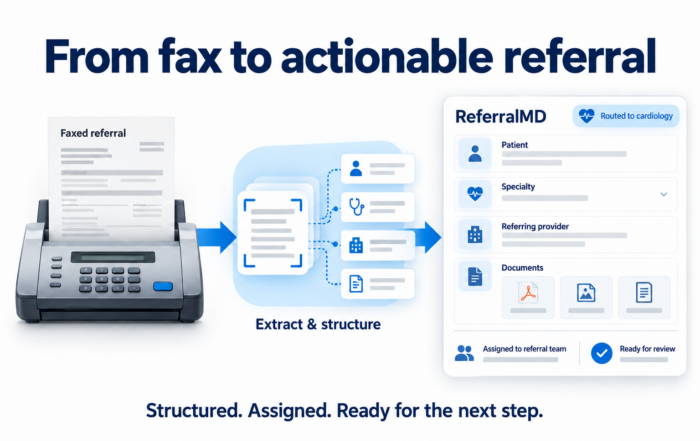
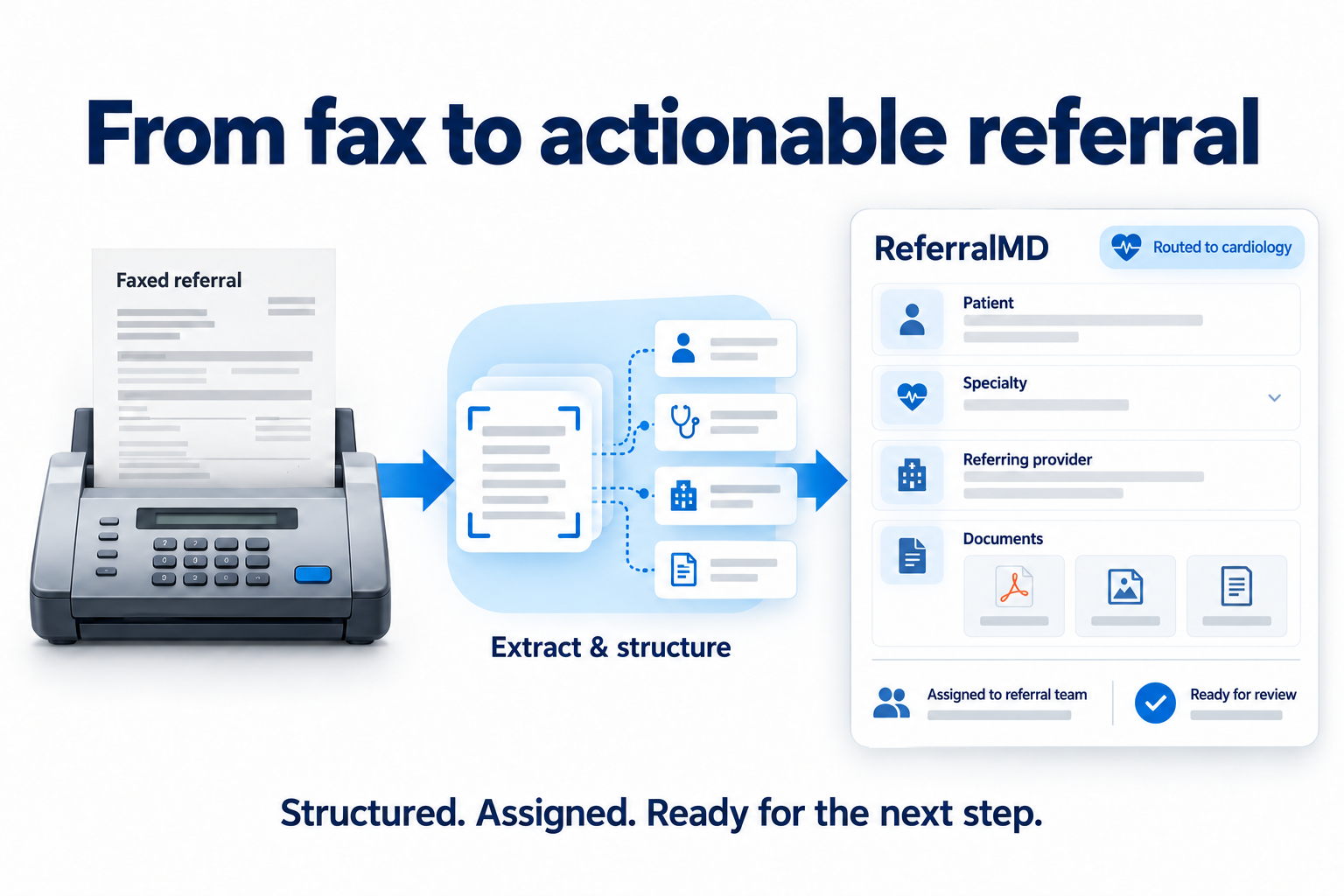
- A referral or scheduling request enters the workflow. The request may originate through an integrated EHR, fax, portal, Direct message, patient request or another configured channel.
- Referral and patient context becomes actionable. ReferralMD organizes the available information, advances the workflow and routes incomplete or unusual cases for review.
- The patient is engaged. The platform can use configured communication methods, including inbound and outbound Voice AI scheduling, to reach the patient or answer when the patient calls.
- Current availability is retrieved. ReferralMD checks availability in real time from ReferralMD or the integrated EHR, PMS or scheduling system.
- Customer-defined booking rules are applied. Eligible times can be filtered based on provider, location, specialty, insurance, appointment type and other organization-specific requirements.
- The patient confirms an eligible appointment. The scheduling conversation is completed without sending the patient to another queue or requiring a second call.
- The appointment is written directly into the connected system. The confirmed visit is created in the system of record, eliminating manual re-entry.
- The patient journey continues. ReferralMD can support digital intake, reminders, communications, referral-status updates, reporting and closed-loop follow-up.
Why does scheduling write-back matter to patient access teams?
Direct scheduling write-back reduces manual work, shortens time to appointment and keeps the EHR or PMS current as the system of record. It allows routine bookings to move forward while staff focus on exceptions.
It removes a hidden manual step
A workflow may appear automated to the patient while still creating work behind the scenes. If staff must copy the selected appointment into the EHR, the organization still carries the labor, delay and risk associated with duplicate entry. Direct write-back removes that handoff.
It shortens the distance between referral and appointment
Every additional call, queue or form creates another opportunity for the referral to stall. When the scheduling conversation can end with a confirmed appointment, the patient moves forward immediately instead of waiting for staff to complete the next step.
It keeps the EHR or PMS as the system of record
Deep integration does not require staff to abandon the systems they already use. The appointment is placed into the connected clinical or operational system so established calendars and workflows remain current.
It supports more accurate scheduling
An open time is not automatically the right time. Applying customer-defined rules before the appointment is offered helps ensure that the selected slot aligns with the provider, visit reason, location, appointment type and other configured requirements.
It lets staff focus on exceptions
Routine appointments can move through the configured workflow automatically, while cases involving missing information, clinical judgment or unusual requirements can be routed to the appropriate team member.
What is the difference between read-only and bidirectional EHR integration?
Read-only integration retrieves information from the EHR; bidirectional integration can both retrieve information and send the completed result back. One connection may only import patient data. Another may read appointment availability but lack permission or functionality to create a visit. A deeper bidirectional workflow can both retrieve the information needed for scheduling and write the resulting appointment back into the connected system.
ReferralMD’s SmartEXCHANGE integrations support connections with EHR, PMS, radiology and other systems using methods such as APIs, HL7, FHIR and Direct. The exact workflow depends on the connected platform, the interfaces it makes available and the organization’s implementation.
That last point matters: healthcare organizations should evaluate integration depth against their real environment. A generic claim of “EHR integration” is not a substitute for demonstrating the complete transaction with the organization’s scheduling rules and connected systems.
What should healthcare organizations ask an AI scheduling vendor?
Healthcare organizations should ask vendors to demonstrate the complete scheduling transaction in the organization’s actual environment. During a product evaluation, verify the following:
- Can the platform retrieve current availability from our production scheduling environment?
- Can it apply our rules by visit reason, provider, location, specialty, insurance and appointment type?
- Does it create a confirmed appointment directly in our EHR or only submit a request?
- Will staff need to copy or re-enter any information after the patient selects a time?
- Does the booking update the related referral and preserve its context?
- Can the workflow support both inbound and outbound scheduling conversations?
- How are incomplete referrals and scheduling exceptions routed to staff?
- What can the integration read, create, update or cancel in our specific EHR or PMS?
- Can the vendor demonstrate the workflow using our actual configuration and rules?
For a broader feature-by-feature evaluation, see the ReferralMD comparison with Linear Health, Assort Health and Honey Health.
How does scheduling fit into a referral operating platform?
Scheduling is most valuable when it remains connected to the referral, patient communications, intake and follow-up that surround the appointment. A referral may arrive by fax, portal, EHR interface or another provider. The patient may need outreach, identity verification, intake, reminders and follow-up. Referring providers and internal teams may also need status visibility.
ReferralMD brings these steps together in a referral operating platform. It combines inbound and outbound referral management, fax and document automation, provider matching, patient engagement, Voice AI, scheduling, interoperability and analytics. Instead of treating the appointment as a disconnected event, ReferralMD connects it to the referral that initiated the journey and the workflows needed to close the loop.
Frequently asked questions about EHR scheduling write-back
Does ReferralMD write appointments directly into an EHR?
Yes. For configured integrations, ReferralMD can retrieve real-time availability, apply customer-defined scheduling rules and write a confirmed appointment directly into the connected EHR, PMS or scheduling system. Exact capabilities depend on the connected platform, available interfaces and implementation.
Is ReferralMD scheduling read-only?
No. ReferralMD supports direct booking for configured integrations. Its Voice AI Scheduling Agent can complete the scheduling conversation and write the booked visit into the connected scheduling system instead of stopping at an appointment request or callback task.
What is the difference between scheduling write-back and a booking link?
A booking link sends the patient to another step, where the patient may need to navigate a portal or select an appointment. Scheduling write-back describes what happens at the system level: the confirmed visit is created directly in the connected EHR, PMS or scheduling platform without staff re-entering it.
Can ReferralMD apply an organization’s scheduling rules?
ReferralMD can support customer-defined rules such as provider, location, specialty, insurance and appointment type. The exact rules available depend on the customer’s workflow and connected system.
Does direct scheduling write-back replace staff?
It automates routine scheduling transactions so staff can focus on complex cases, incomplete referrals and situations that require human judgment. Organizations remain responsible for defining their workflows, rules and escalation paths.
See deep EHR scheduling write-back in action
Bring your referral workflow, scheduling rules and integration requirements. ReferralMD can demonstrate how a patient moves from referral or phone call to a confirmed appointment in the connected scheduling system.
Related Posts


Subscribe to Our Blog
Recent Posts